Design your own custom cross-stitch patterns.
Cross Stitch Pattern Creator
Includes 4 sample patterns. Free to download. Activation requires a $2.99 payment.
A tablet is highly recommended for optimal use due to the pattern dimensions.
Design personalized cross-stitch patterns with the Cross Stitch Pattern Creator.
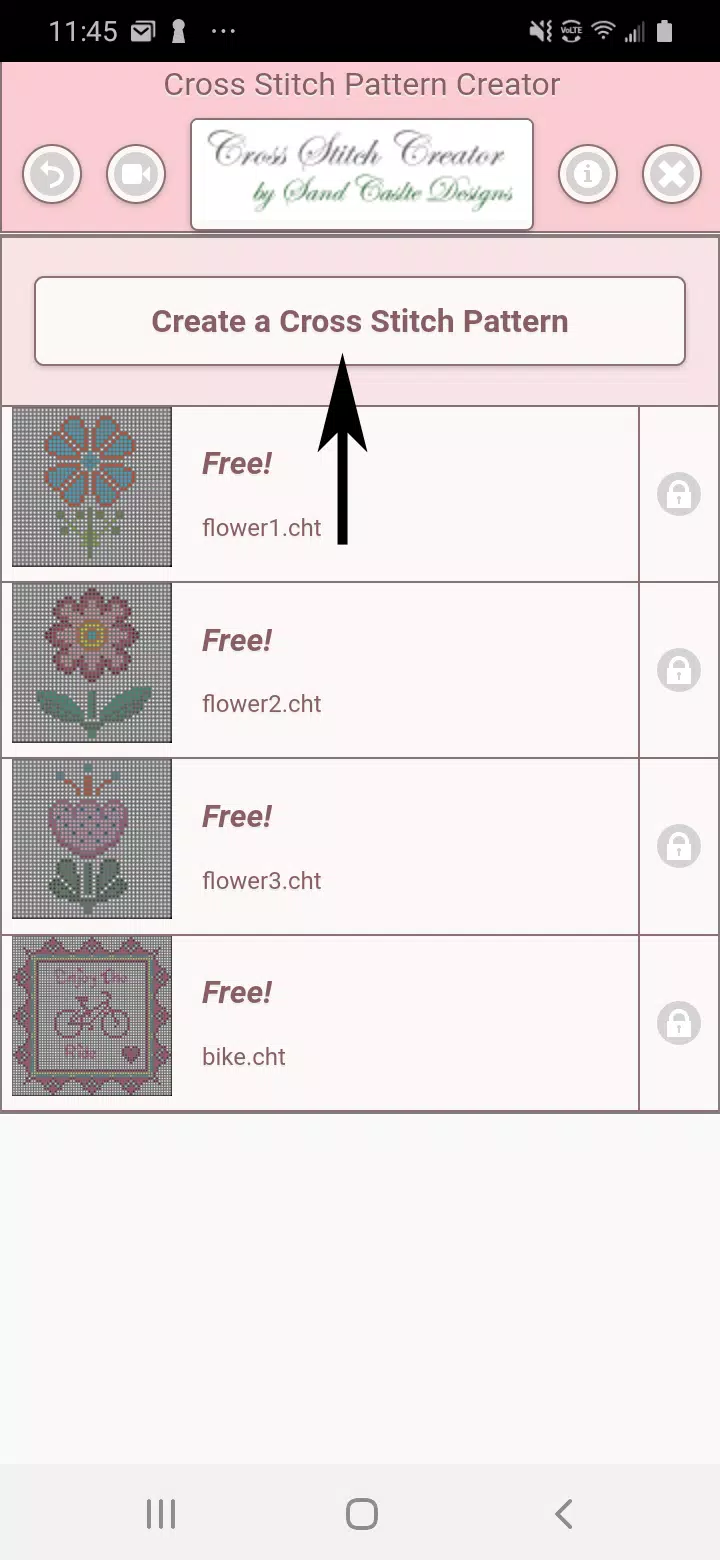
To begin creating, click the "Create a Cross Stitch Pattern" button.
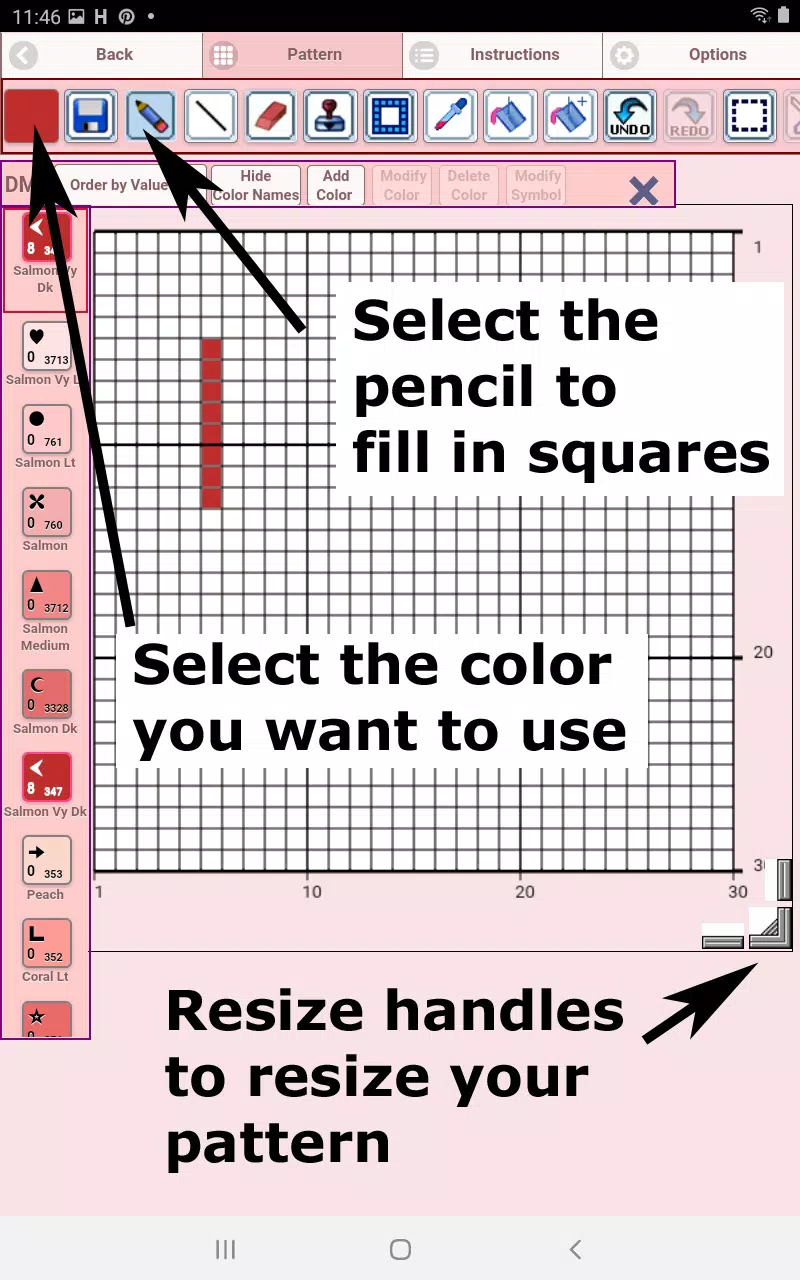
The Cross Stitch Pattern Editor will open. Fill the grid squares with DMC floss colors.
You can also add custom colors if desired.
Getting started – Use the pencil tool to fill squares in your pattern. Use the eraser to clear filled squares.
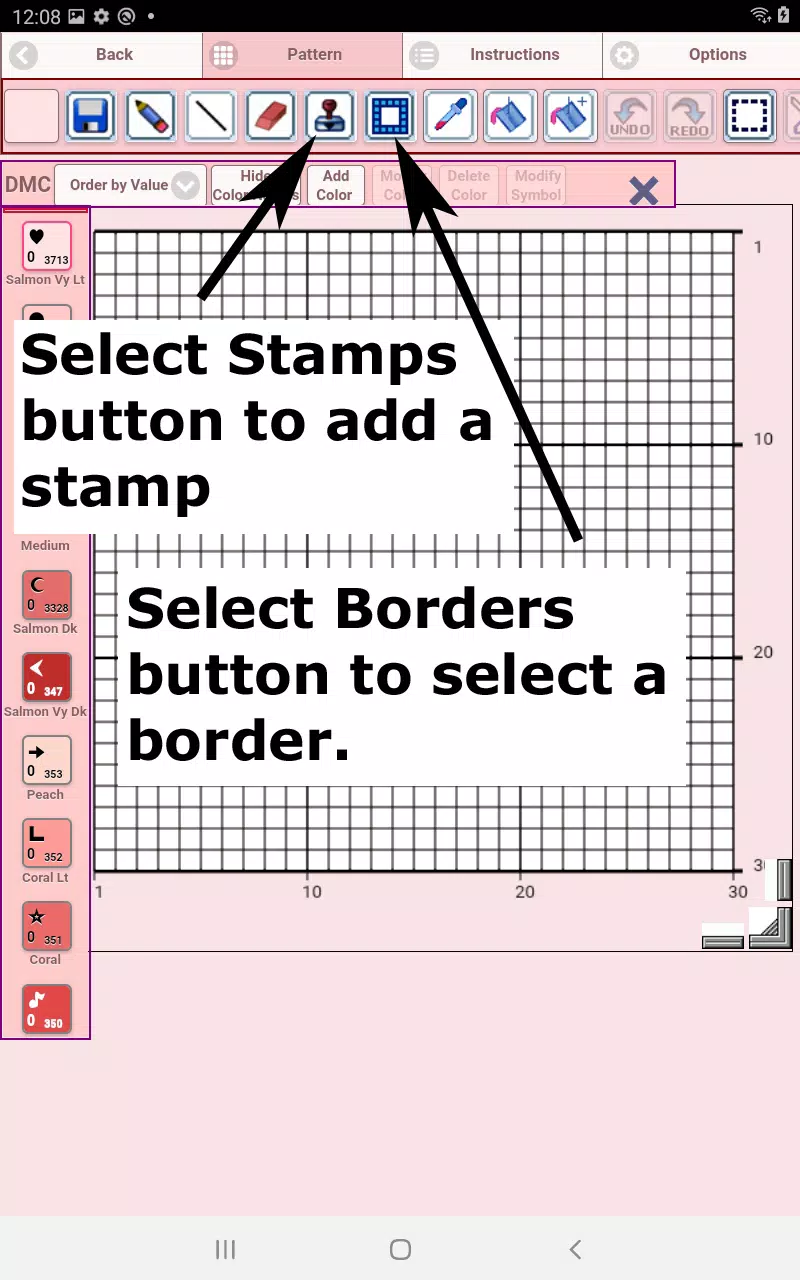
Choose from over 80 stamps and borders to enhance your cross-stitch pattern.
The button bar, from left to right, includes:
DMC Floss Color button – Select your desired floss color.
Save button – Save your pattern.
Pencil button – Fill squares in your cross-stitch pattern.
Eraser button – Erase filled squares and backstitch lines.
Backstitch button – First, choose a color for the backstitch, then use this button to add backstitch lines.
Backstitch move button – Drag a selected backstitch to a new position.
Backstitch move stitch end – Select a backstitch; blue handles appear at each end. Drag either handle to adjust.
Stamps button – Add small pre-designed cross-stitch stamps to your pattern.
Borders button – Add borders that automatically wrap around your pattern.
Dropper button – Pick a color from your pattern to use elsewhere.
Bucket button – Fill a selected area with the current color.
Bucket+ button – Replace one color with the currently selected color.
Undo button – Reverse your last change.
Redo button – Restore changes you undid.
Selection box button – Select an area to cut, copy, rotate, or flip.
Cut button – First, select an area with the selection tool, then cut it out.
Copy button – After selecting an area, copy it to the clipboard.
Paste button – Paste the copied area and drag it into place.
Rotate button – Rotate the selected area or the entire pattern.
Flip right/left button – Flip the selection or pattern horizontally.
Flip top/bottom button – Flip the selection or pattern vertically.
Zoom in button – Enlarge the pattern view.
Zoom out button – Reduce the pattern view.
Symbols button – Show unique symbols for each color to represent its value.
Picture button – Upload an image from your device to convert into a pattern.
Social media button – Share your pattern via email, text, or other platforms.
Resize bars – Located at the bottom right; drag to adjust your pattern size.
Option settings – Customize grid color, switch fill style from Solid to X's,
and hide the row/column counter.
Instruction page – View the DMC colors used and finished sizes for
different Aida cloth counts.
Finished Product page – Preview your stitched pattern. You can also change the fabric color.

Cross Stitch Pattern Creator應用截圖




熱門應用
-

-

-
- Gradient: AI Photo Editor
- 4 攝影
- 歡迎使用漸變:AI照片編輯器,旨在釋放您的創造力並以您從未想像的方式改變您的照片和視頻的最終應用程序。我們的應用程序由最先進的AI技術提供支持,提供了廣泛的創新功能,既會讓您驚訝又激發您的靈感。發現Y
-

-

-

- Chatiw! Meet,Chat & Dating
- 4.1 通訊
- Chatiw 是一個免費的聊天平台,讓您在聊天室中與陌生人建立聯繫。 直接向任何人發送訊息-無需好友請求。探索不同的文化和語言,無需註冊即可與世界各地的單身人士聊天。 探索 Chatiw 的傑出功能!免費手機聊天: 無縫對話
Latest APP
-
- Sketch Photo: Learn to Draw
- 5.0 藝術與設計
- 用於輕鬆繪製照片的繪圖應用。從您的相簿中進行 AR 素描繪圖。歡迎使用我們的“素描照片:學習繪畫”應用!素描照片繪製——透過增強現實讓創意栩栩如生。享受完美的素描功能——描邊素描應用:✍️ 素描照片:輕鬆學習繪製和素描任何圖片。從類別中選擇照片,或從您的相簿中上傳照片使用繪圖素描應用將草圖轉化為藝術變得輕而易舉,無論是卡通、建築、物體還是眼睛,都可以將其描摹到描圖紙上。✍️ 多種類別:- - 豐富的類別為您的藝術創作提供靈感:熱門趨勢、聖誕節、動物、心形、食物、人物……✍️ 自定義選項:- -
-

-
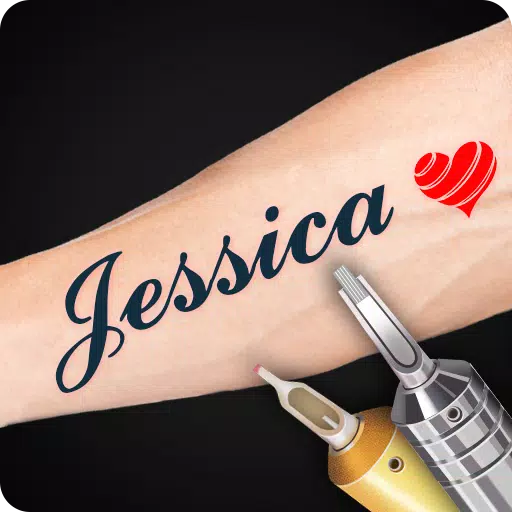
- Tattoo Maker
- 3.0 藝術與設計
- 現在就來紋身吧!使用你的紋身創意,將墨水圖案應用到照片上!自定義紋身設計:即時為你的照片新增名字紋身!成為終極紋身藝術家!INK 獵人!需要一個酷炫的紋身?在照片上草繪一個設計圖!你想成為一名專業的紋身編輯嗎?如果你熱愛紋身,你會欣賞來自世界各地的精彩紋身圖案!運用你的紋身創意,創作屬於自己的紋身藝術。不再疼痛!它能在你的照片上呈現逼真的紋身效果,賦予其真實的墨水質感!• 酷炫的紋身設計照片!• 從令人驚歎的墨水中獲取靈感!• 包含多種藝術風格:愛情、龍、奇幻、蝴蝶、動物、骷髏、翅膀……以及更多
-
- How to Draw Motorcycle
- 2.6 藝術與設計
- 學習如何一步步繪製摩托車!摩托車繪畫教程由於摩托車的零件複雜且細節豐富,畫摩托車似乎頗具挑戰性。然而,我們的摩托車繪畫教程應用讓這一切變得簡單易懂!即使畫畫並非你的天賦所在,這款應用也會透過清晰、分步的指導來提升你的技能。正如摩托車是令人印象深刻的機器一樣,你的繪畫能力也可以如此出色!藉助我們應用的直觀指令,你會發現畫摩托車比你想象的更簡單。從幾條基本線條開始,逐步完成這輛兩輪車的完整詳細插圖。使用我們的教程,你可以徒手繪製出一輛完整的摩托車。你更喜歡運動型越野摩托還是經典款摩托車?我們
-
- Luxury Logo maker, Logo Design
- 4.7 藝術與設計
- 隆重推出 Logo Maker Pro | Graphic Designer & Logo Creator,這是一款打造奢華標誌的頂級免費應用。Logo Maker Pro | Graphic Designer & Logo Creator 是一款免費的標誌編輯器,旨在簡化您的設計流程。這款頂級的標誌生成器是必備的設計工具之一,透過這款先進的免費應用程式,您可以無縫地構思並生成精緻的標誌。這款公司標誌製作器是最快速、最簡單的標誌設計應用。從我們超過100個專業設計的可定製模板庫中開始選擇。然後,
-
- Insitu Art Room - Art on Wall
- 5.0 藝術與設計
- InsituArtRoom:一款幫助藝術家在真實室內環境中預覽作品的樣機工具自2019年推出以來,作為首批藝術視覺化應用之一,InsituArtRoom一直保持著領先地位。該應用專為旨在簡化營銷流程的藝術家而設計,支援您上傳作品圖片、從豐富的室內背景庫中選擇場景、自定義畫面效果、儲存並分享您的樣機圖。我們強大的樣機生成器、出色的客戶支援以及活躍的社會媒體社羣,將助力您的藝術事業取得成功。為何選擇 InsituArtRoom?在精心佈置的室內環境中展示您的藝術作品,可以顯著提升銷售潛力。因此
-

- Tokenframe
- 2.6 藝術與設計
- 連線您的錢包。展示您擁有的 NFT。由專利的 Web3 原生技術驅動。掃描 Tokenframe 上的二維碼,將其連線到 WiFi 並連結到您的移動應用個人資料。然後,使用網頁應用程式將所有錢包關聯到單個個人資料,並與您的行動資料同步。現在,您可以直接從手機安全地顯示來自所有錢包的任何 NFT,零安全風險。智慧錢包委託,簡化操作。### 3.0.8 版本更新最後更新於 2024 年 11 月 5 日新功能- 幻燈片模式- Bitcoin Ordinals 支援- 畫廊多選功能- 改進的資料夾體驗
-
- AR Drawing: Sketch & Paint Art
- 3.9 藝術與設計
- 啟用 AR 繪畫:使用手機攝像頭進行素描和繪畫藝術創作,並開始你的創作之旅!AR 繪畫:素描與繪畫藝術是一款創新的移動應用程式,它利用增強現實(AR)技術和智慧手機的攝像頭。其豐富的模板涵蓋多個類別,包括動物、汽車、風景、美食、動漫、書法等,為藝術探索提供了多樣化的主題選擇。一個關鍵功能是內建閃光燈,即使在昏暗環境中也能提高可見度並提供理想的照明效果,從而提升使用者的繪畫體驗,減少因光線不足帶來的問題。該應用還包含一個相簿功能,讓你可以儲存和組織你的藝術作品以便日後使用或分享。它甚至允許你
-
- Abu Dhabi Art
- 4.0 藝術與設計
- 發現阿布扎比藝術官方應用。阿布扎比藝術官方應用為您帶來年度展會及其全年包容性專案的邀請函。阿布扎比藝術透過重視豐富的公眾參與專案,重新定義了傳統藝術品博覽會。該專案包括在全年於酋長國各地舉辦的裝置、展覽、講座和活動。這些活動將於每年11月的阿布扎比藝術節達到高潮,成為畫廊的重要銷售平臺,同時為它們提供一個向廣大觀眾展示雄心勃勃的裝置和特定場地作品的機會。探索阿布扎比藝術虛擬博覽會。瀏覽並儲存您喜愛的藝術品。直接聯絡畫廊主。接收最新的活動新聞和更新。確認參加活動。深入瞭解文化場所和活